Goodies:
Photoshop Layer Effects
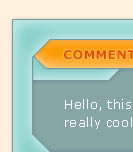 Photoshop Layer Effects: Soft Interface Collection
Use the "Soft Interface" style to create an interface shape. This style works with a variety of colors or shades of grey. (Works best with mid-range tones.)
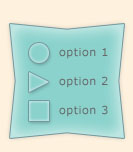 Photoshop Layer Effects: Soft Interface Buttons
Use the soft button style to create buttons to go with the soft interface you created. Looks nice with buttons using the same color as the interface but experiment with different colors depending on the effect you are after.
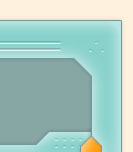 Photoshop Layer Effects: Soft Interface Indents
The final layer style in the Soft Interface collection is the "Soft Indent" style which you can use to further dress up your interface. Add 1 pixel horizontal lines or 1 pixel "dots" on a new layer about the interface shape you created. It doesn't matter what color you make these lines. They will take on the color of the underlying interface layer.
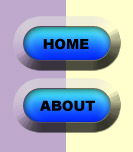 Photoshop Layer Effects: Glowing Button
This layer effect creates a glowing button set into a bevel. This effect works best with rounded shapes
but rectangular shapes also work. The color of the shape will be the color of the lighted button. The bevel
takes on the color of the underlying background layer. (White works too.)
 Photoshop Layer Effects: Glass
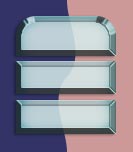
This layer effect creates the look of cut glass. Best used for interface or button shapes.
To use create your interface or button shape on a transparent layer. The color of your shape doesn't matter.
 Photoshop Layer Effects: Glass Text
This is a layer effect for creating glass text to go with buttons and backgrounds which use the above glass effect.
To use it simply type your text on a new layer. The color of the text doesn't matter.
 Photoshop Layer Effects: Pearl
An effect for creating a pearl-like object. Works best when used with a large circle shape. Experiment with different colored
shapes for slightly different colored pearls. The example uses a white circle shape with the pearl layer effect applied.
NOTE: You may use these effects for any graphics project, personal or commercial but please do not upload or distribute these effects anywhere else. If you use these effects for a project I would love to see it!
©2001 by Kristin Bradley, all rights reserved
e-mail comments to:
me@kristinbradley.com